 AutoCaption
Word-by-word timing
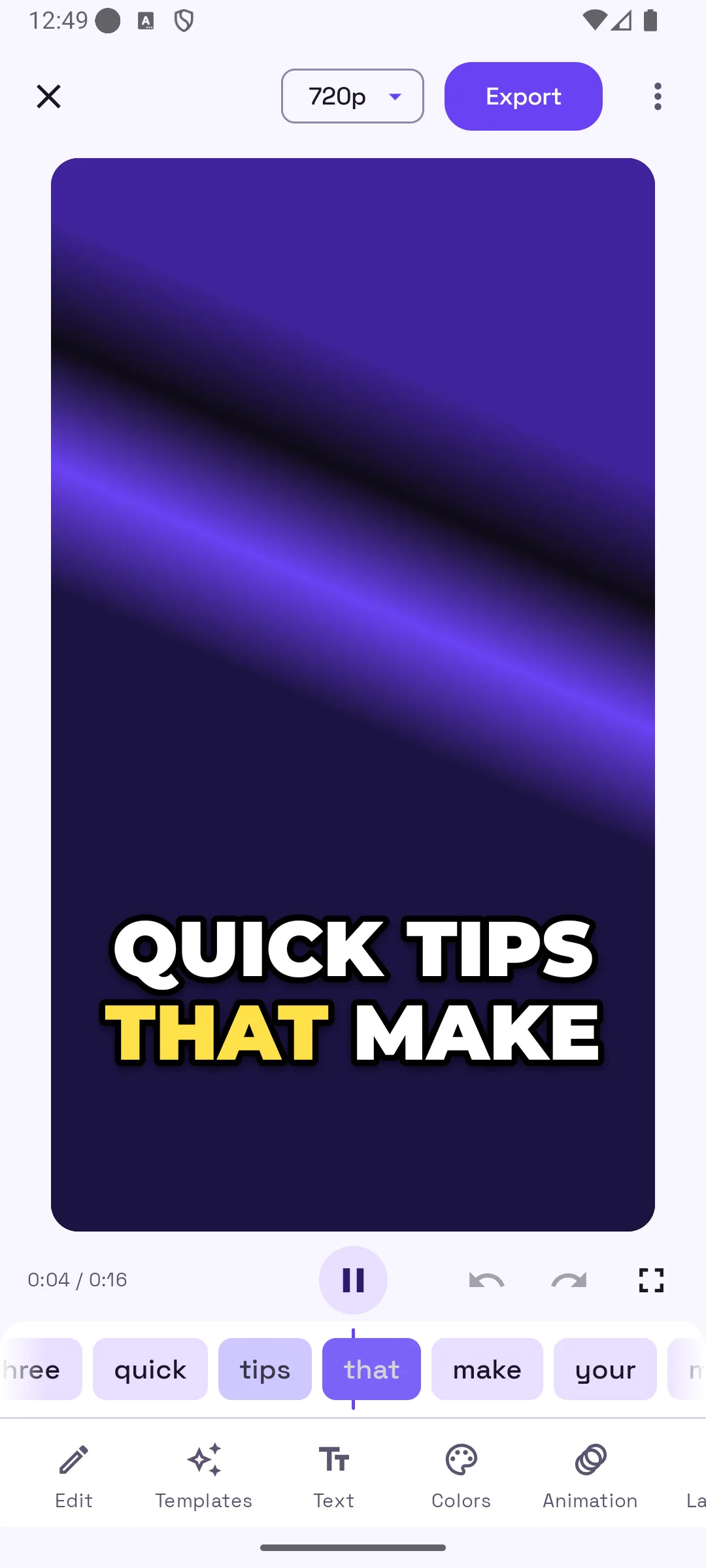
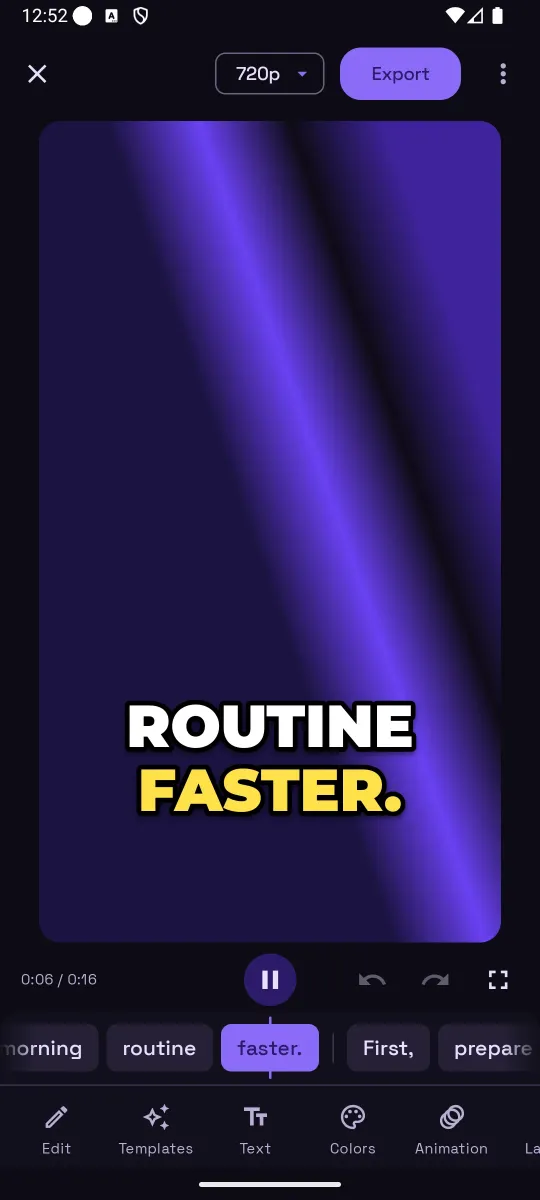
Every word gets its own start and end. Captions highlight as you speak, and the word strip under the player scrubs the video when you tap a word.
Pick a video, get captions in seconds. AutoCaption times every word, lets you fix any mistake with a tap, and exports an MP4 or SRT in about 100 spoken languages. Your video never leaves your phone.
Free to start. Pro is an in-app subscription billed through Google Play.
Everything on this page is in the app today. No queues, no desktop editor, no re-typing.
Every word gets its own start and end. Captions highlight as you speak, and the word strip under the player scrubs the video when you tap a word.
Change a word, split or merge lines, add a caption at the playhead, or delete one. Edits save on their own, with undo and redo.
Templates in Trending, Highlight, Bold, Clean, Neon, Boxed, Fun and Elegant. Tune text, colors, outline, shadow, box, position, 10 word effects and 4 entrances.
Hindi and other Devanagari scripts, Arabic and other right-to-left scripts, Chinese, Japanese and Thai all draw correctly in the preview and the export.
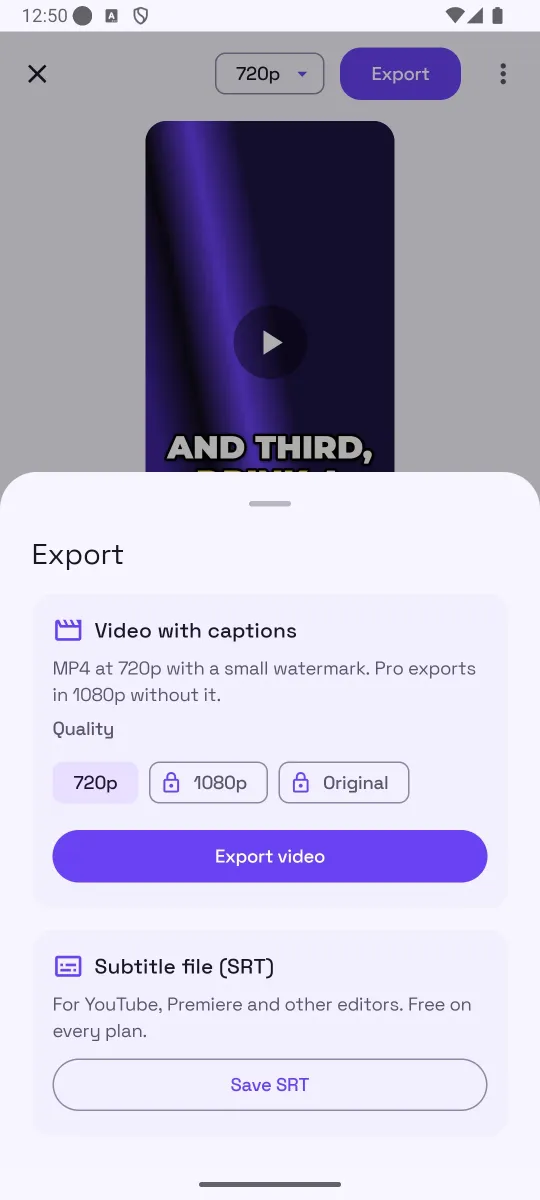
Burn captions into an MP4 with real progress and cancel, or save an SRT for YouTube, Premiere and other editors. SRT export is free on every plan.
Only the audio track is uploaded for transcription, and it is not kept afterwards. Captions and projects live in the app's local database.
Four steps from a video in your gallery to a captioned clip you can post.
Tap Create captions and choose a clip from the system picker. No storage permission needed.
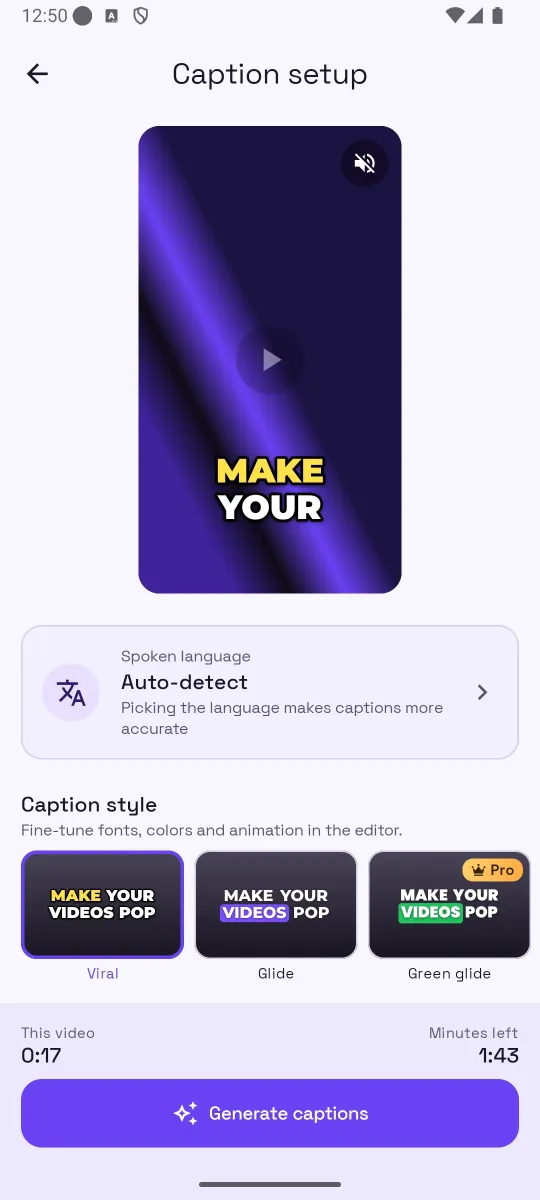
Leave Auto-detect or pick the spoken language, then pick a caption style. You see the minutes the clip needs before you start.
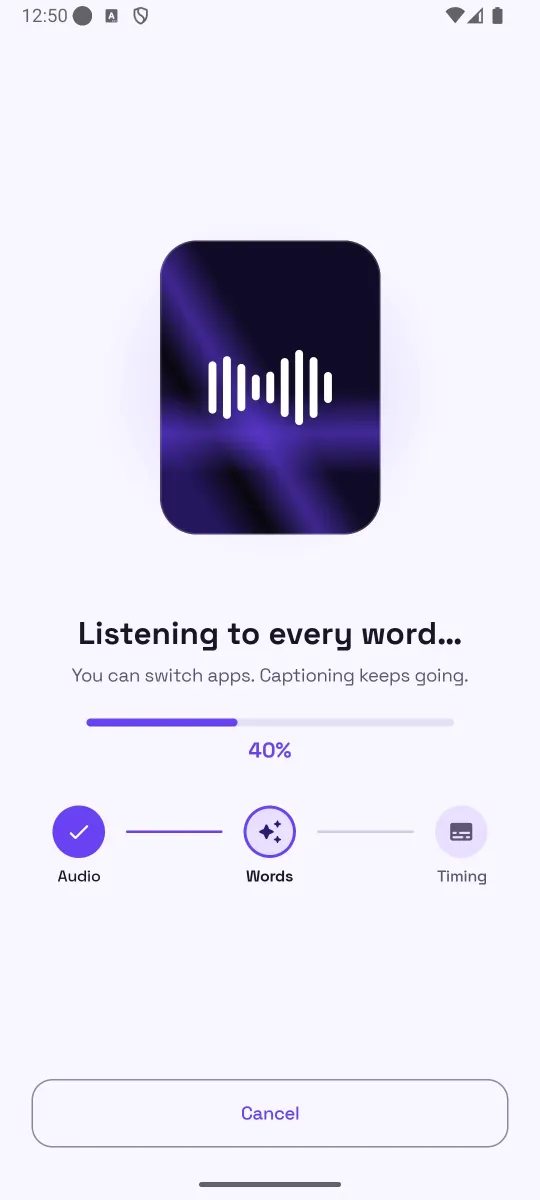
The app listens to the audio and times every word. You can switch apps; captioning keeps going.
Fix words, pick a template, drag the captions where you want them, then export an MP4 or an SRT.
Real screenshots from AutoCaption 1.0.0 on Android.
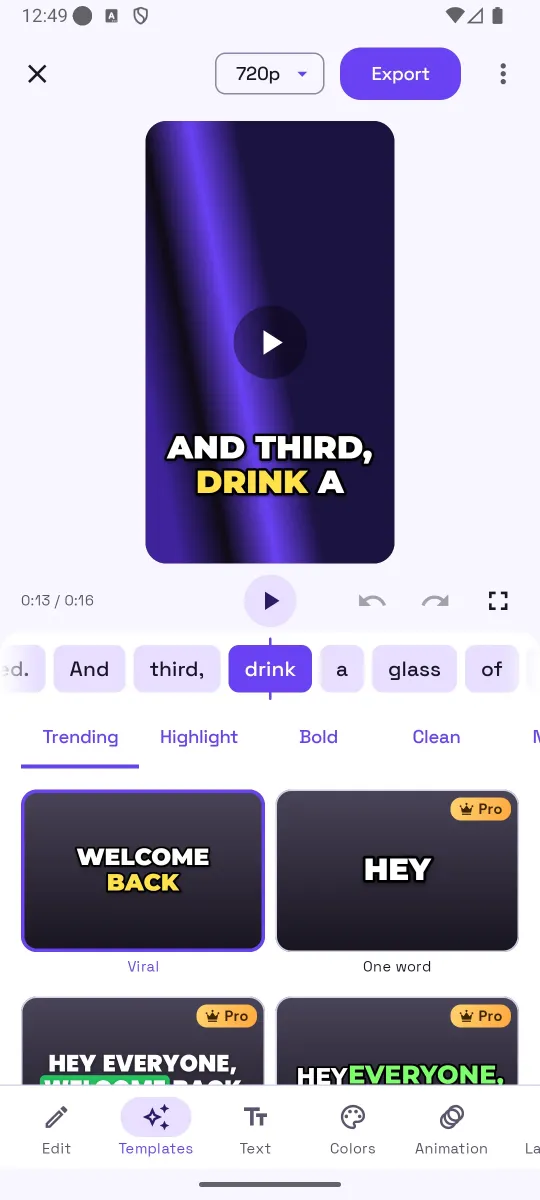
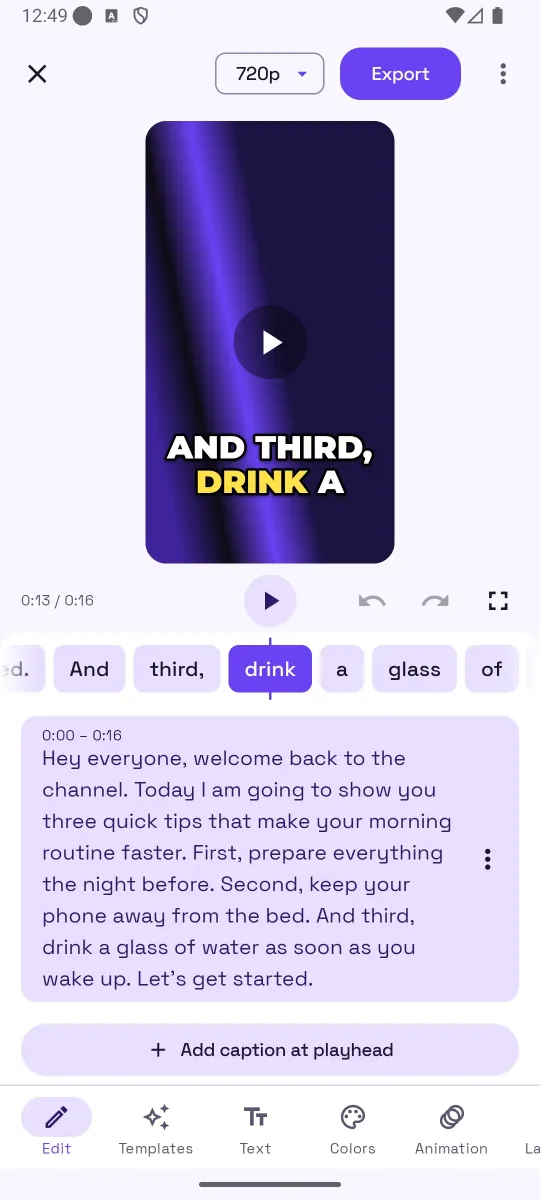
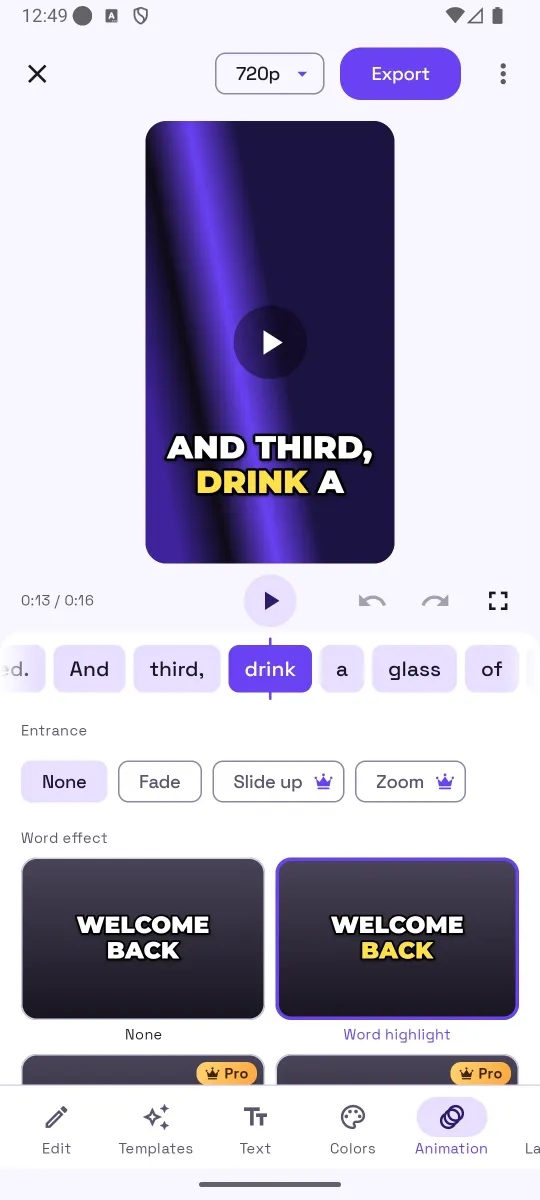
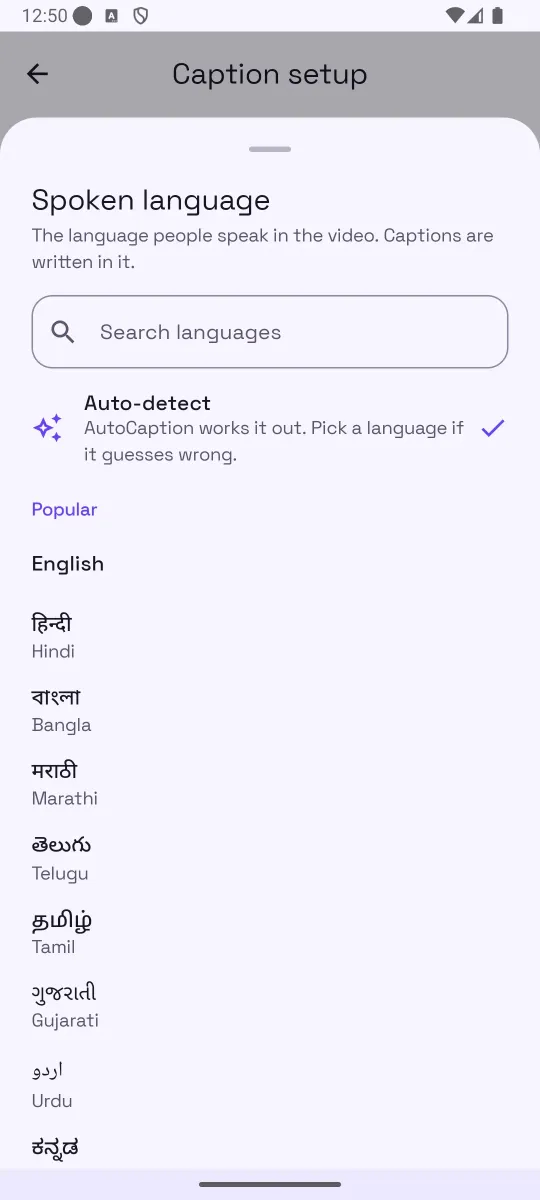
Captions in Hindi, Spanish, Japanese and about 100 more spoken languages. Captions stay in the language you speak, and complex scripts render correctly in both the preview and the exported video.
Most people watch with the sound off. Captions make sure they still get the message.
Vertical clips with bold, animated captions that keep up with fast speech. Export at 720p free or 1080p with Pro.
Export an SRT and upload it alongside your video, or burn open captions into the clip itself.
Short clips, quick turnaround. Pick a clean look and share straight from the export sheet.
Caption lectures and tutorials up to 10 minutes with Pro, and fix technical terms the model misses.
Hindi, Bangla, Tamil, Telugu, Marathi, Gujarati, Urdu, Kannada and more, written in their own scripts.
Make your videos readable for viewers who are deaf or hard of hearing, or who watch without sound.
Pro is an in-app subscription, monthly or yearly. The current price is shown in the app and billed through Google Play. Cancel anytime in Google Play.
Free accounts see ads. Out of minutes? Watch a short rewarded video for one more minute, up to five times a day.
Subscribe from Settings or the Pro button in the app.
Short, practical answers to the questions people ask about captions on Android.
The complete walkthrough: pick a clip, generate, edit, export.
Read the guide → SocialVertical captions that stay inside Instagram's safe zones.
Read the guide → LanguagesDevanagari captions that render correctly, plus tips for Hinglish.
Read the guide → ExportWhat an SRT is, how to create one on your phone, where it saves.
Read the guide → ExportOpen captions vs. closed captions, and when to hardcode.
Read the guide → StyleKaraoke-style highlighting, word effects and entrances explained.
Read the guide → EditingWhy models mishear, and the fastest way to correct a transcript.
Read the guide → ChoosingA checklist you can use on any app, including this one.
Read the guide →Open AutoCaption, tap Create captions and pick a video from your phone. Choose the spoken language (or leave Auto-detect) and a caption look, then tap Generate captions. The app listens to the audio, times every word, and opens the editor where you can fix words, change the style and export an MP4 or SRT.
About 100 spoken languages, including English, Hindi, Bengali, Marathi, Telugu, Tamil, Gujarati, Urdu, Kannada, Spanish, Arabic, Chinese, Japanese and Thai. Captions are written in the language that is spoken; the app does not translate in this version.
No. The video file stays on your device. To create captions the app uploads only the audio track to the AutoCaption server, which sends it to the speech-to-text model. The audio is not stored after transcription finishes. Captions and projects stay in the app's local database.
Yes. Open the Edit panel in the editor, tap the line and change the text. You can also split or merge lines, add a caption at the playhead, or delete a line. Edits save automatically and support undo and redo.
The app is free to download and use. Free accounts get 2 caption minutes a day for clips up to 60 seconds, 8 templates, every font and color, SRT export, and 720p video export with a small watermark; free accounts also see ads. Pro is an in-app subscription with 300 minutes a month, clips up to 10 minutes, every template and animation, no watermark, 1080p or original-quality export, and no ads. The current price is shown in the app and billed through Google Play.
Yes. The Export sheet has two options: Video with captions (an MP4 with the captions burned in) and Subtitle file (SRT) for YouTube, Premiere and other editors. SRT export is free on every plan.
Up to 60 seconds per clip on the free plan and up to 600 seconds (10 minutes) with Pro. Longer videos can be trimmed first in your gallery app.
Yes. The preview in the editor and the exported MP4 use the same caption engine, so fonts, colors, animation and position match what you saw.
Free to start on Android 8.0 and later. Pick a clip, get word-timed captions, make them pop, export.